Mailchimp is a great email service and here, at Teachery, we're happy to have a direct integration with them!

Will we add other email integrations? If you're wondering if we'll be adding any other email providers as direct integrations in Teachery in the future (Active Campaign, etc) the answer is
unfortunately no. BUT, you can use our
Zapier,
Pabbly, or
Make integrations to connect your email provider of choice!
How to integrate your Mailchimp account
It couldn't be easier to connect your account!
Click Account in the top navigation of Teachery
Click the Integrations link option
Scroll down to find the Mailchimp area
Enter your Mailchimp API Key and click Save
You're integrated! ✅
Below is a video to walk you through our Mailchimp Integration and how you can use it within your payment and landing pages.
💡 Add customers to your Mailchimp account via our Payment or Landing Pages
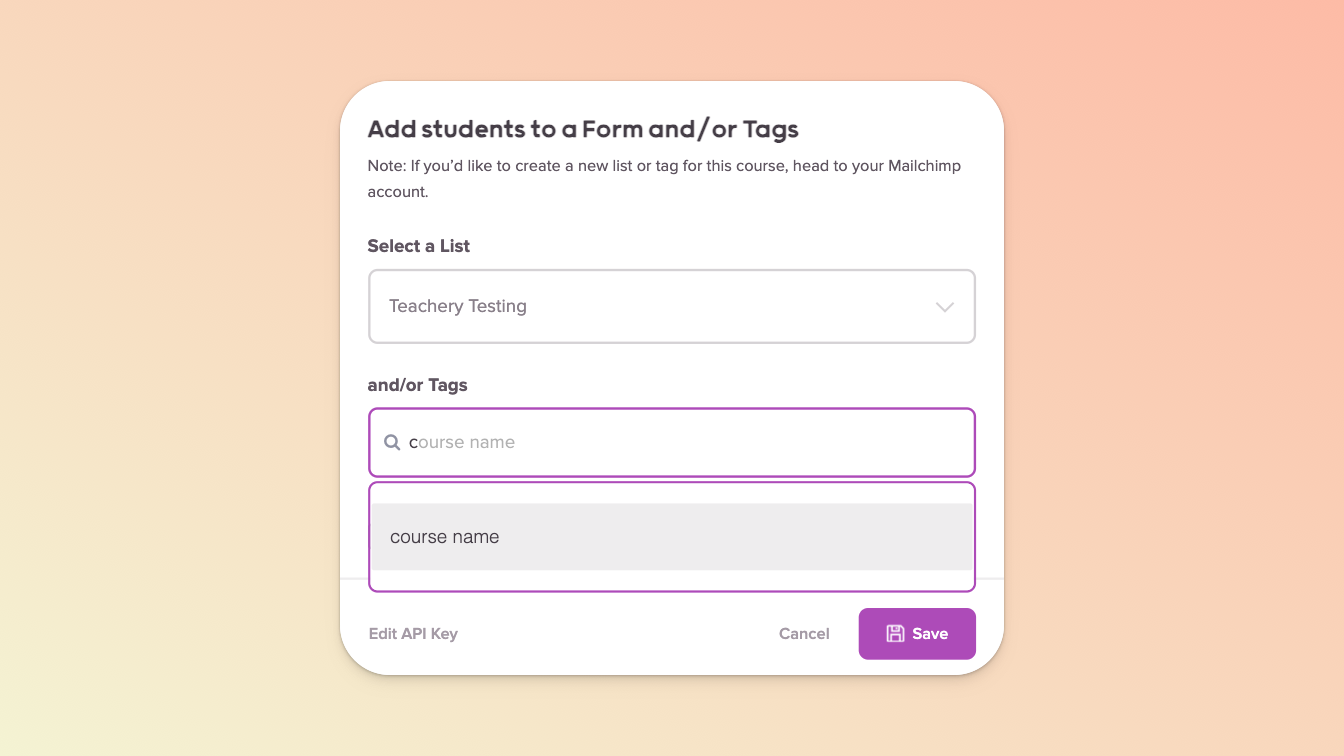
Every Payment or Landing Page lets you choose to which List (now called Audience in Mailchimp) and then which Tag(s) (within that Audience) to assign a subscriber:

If you’re using our new
Payment Page Builder, your Mailchimp settings will be in the
Integrations option available in the
After Payment tab of your payment page.
In the Actions menu, select Connect Email Provider and if you haven’t already, connect Mailchimp
Select your List (a.k.a Audience)
Then, select your Tag(s)
We recommend enabling double opt-in but make sure you’ve set this up in Mailchimp first (in your Audience settings)
You can create brand new Tags from within our integration but note that they may not appear in Mailchimp until your first subscriber joins. If you have enabled double opt-in, a subscriber will also not appear until they’ve opted in.

If you want to test if your Mailchimp integration is working, simply purchase your own course via a Payment Page (using a unique email address, NOT your Teachery account email address) or via Landing Page using Email Capture Mode.
Use Mailchimp's tagging and automation to create powerful post-purchase email sequences and more!
Learn a ton more about Mailchimp's automations here.