To give that extra personalization in your course, you can use Teachery's built-in merge tags! These are very simple (and tiny) snippets of "code" that you add in most text areas of your course. Sometimes these are also called dynamic inserts, customer tags, or merge fields.
Here are the currently available merge tags you can use in most editable text areas:
First Name: %first_name%
Last Name: %last_name%
Course Name: %course_name%
Email Address: %email_address% **
** You might never use the email address merge tag but we wanted to include it just in case 😉.
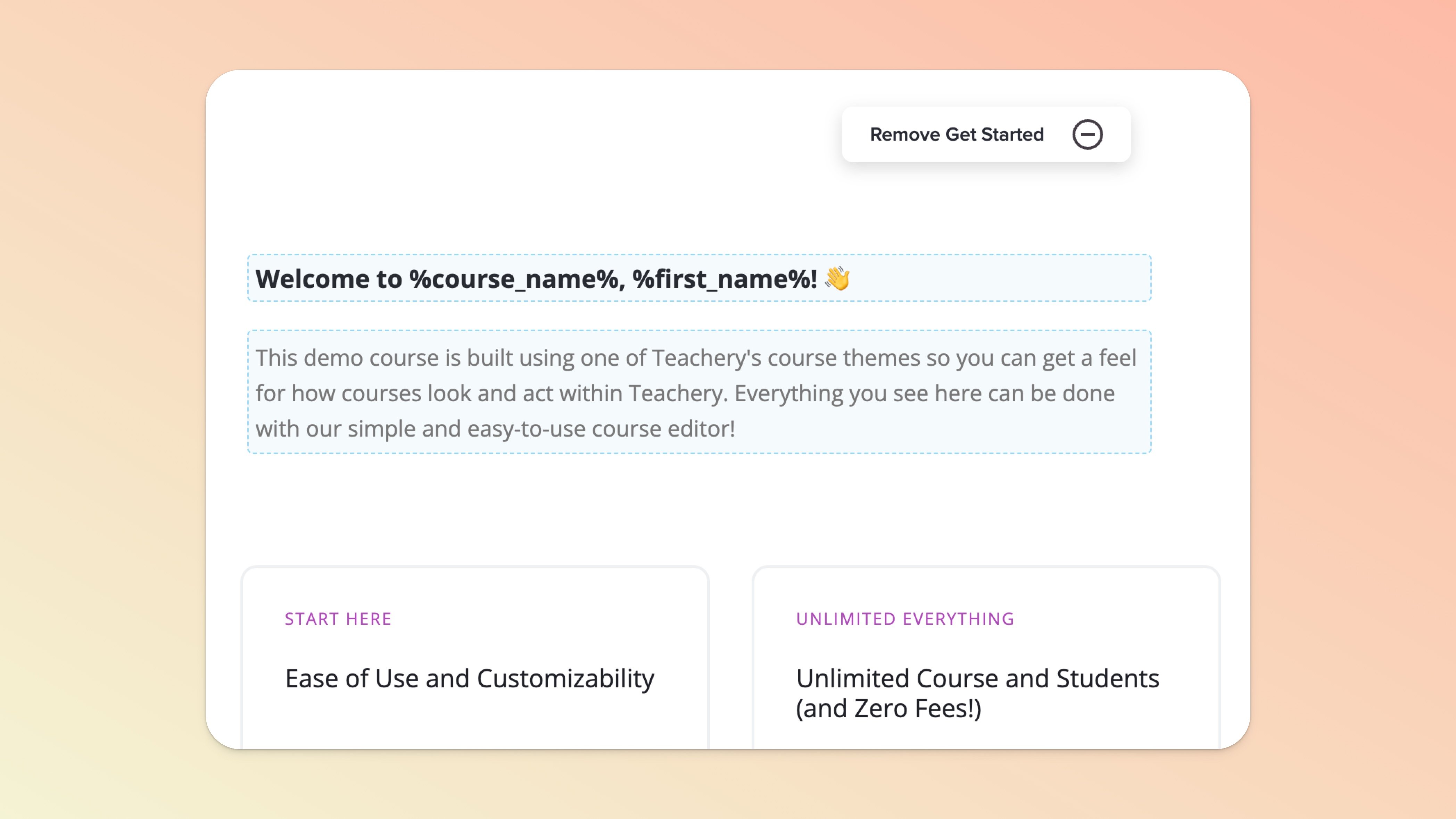
This screenshot shows these merge tags added to the introductory text boxes in the Overview page of a course to show you how easy it is:
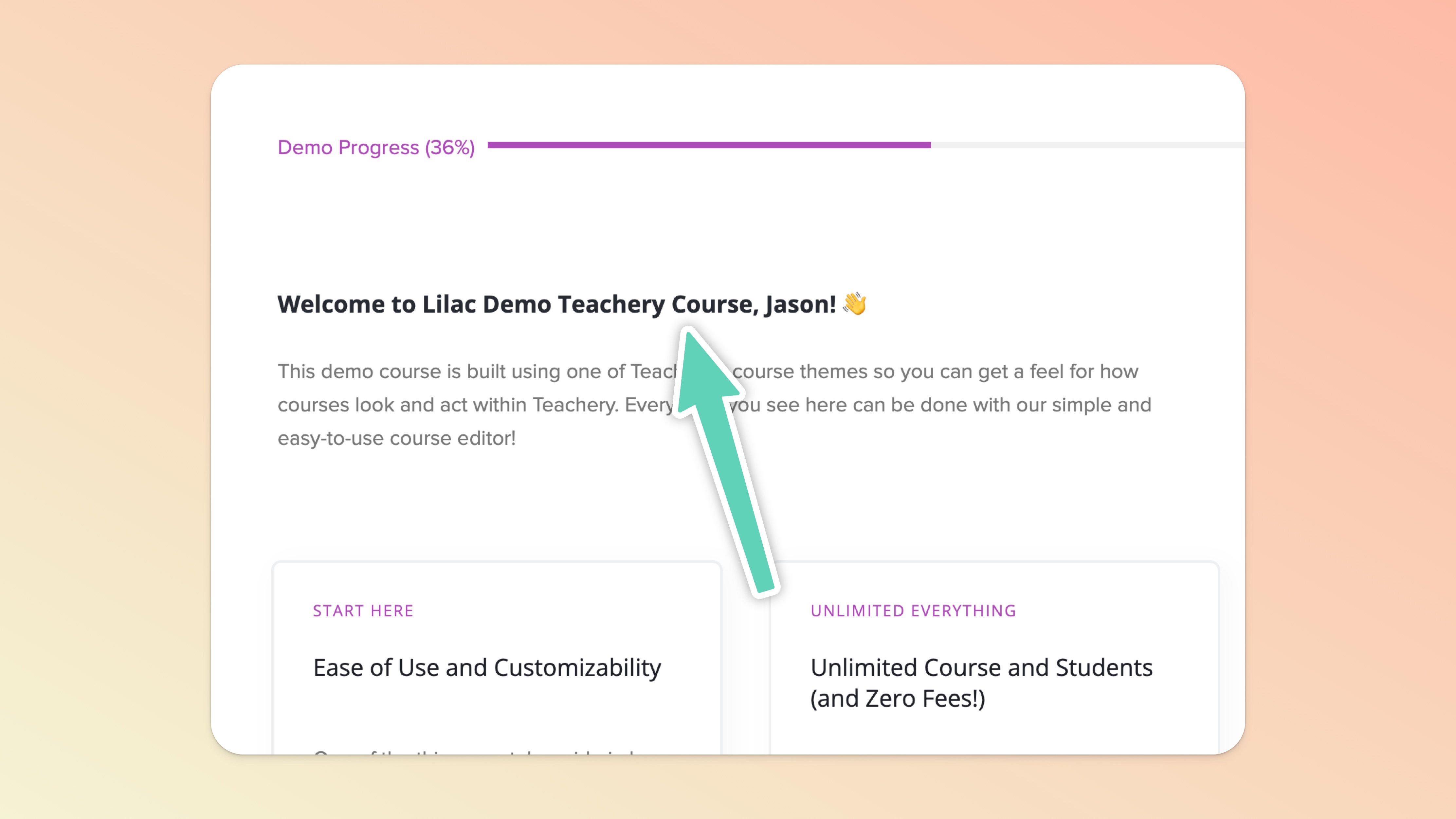
And, when you preview the Overview page you've added merge tags to you'll see your own user data pulled in as an example:
We believe your Overview page is the best page for merge tags ✅. If you want lessons to feel more personalized, absolutely continue to use the %first_name% merge tag so that your customer feels like you're speaking directly to them.
You can also use merge tags in the Course Emails > Welcome, Completed, Lesson Unlock, and Failed Payment emails. Please note that they will not work in the New Course Affiliate email.
We would avoid using merge tags on Payment Pages or Landing Pages ❌. Because your customer most likely doesn't have a Teachery account yet before making a course purchase, there won't be any data to display and this could look real weird, real quick 😆!
💬 If, at this point, you hit any hurdles/doubts and can’t find the answers elsewhere in our help center, please use the support chat bubble* in the bottom right of your screen. Make sure to include course/product info, customer info, helpful screenshots, or anything else that may be relevant to your query.
* Support hours are 09:00 to 17:00 GMT.