Creating promo codes (a.k.a discount coupons or vouchers) for your course(s) in Teachery is extremely easy!
In the videos below, we'll walk you through our Promo Codes feature. Below the videos you'll find written explanations.
Click the course you want to create promo codes for
Click "Payment Pages" in the editor sidebar
Click the "Promo Codes" link in the sidebar
Click the "New Promo Code" button to create a new code!


You CAN add a created promo code to a Payment Page URL to automatically have the code apply to the page. Just add ?promo=code to the end of your payment page URL (where the word “code” is replaced with your promo code).
🔗 Example: your-course.teachery.co/paymentpage?promo=code
We cover everything you need to know about our promo codes feature for 1-time course sales.
If you're selling a course with payment plans or recurring payments, here's a video to help understand setting up promo codes for that.
Teachery promo codes allow you to choose a percentage off (%) OR an amount off.
You can also set a number of redemptions you want to limit a promo code to (optional). And, you can set a date and time for the promo code to expire in the future (optional).

You can choose whether to enable the accepting of promo codes within each payment page.
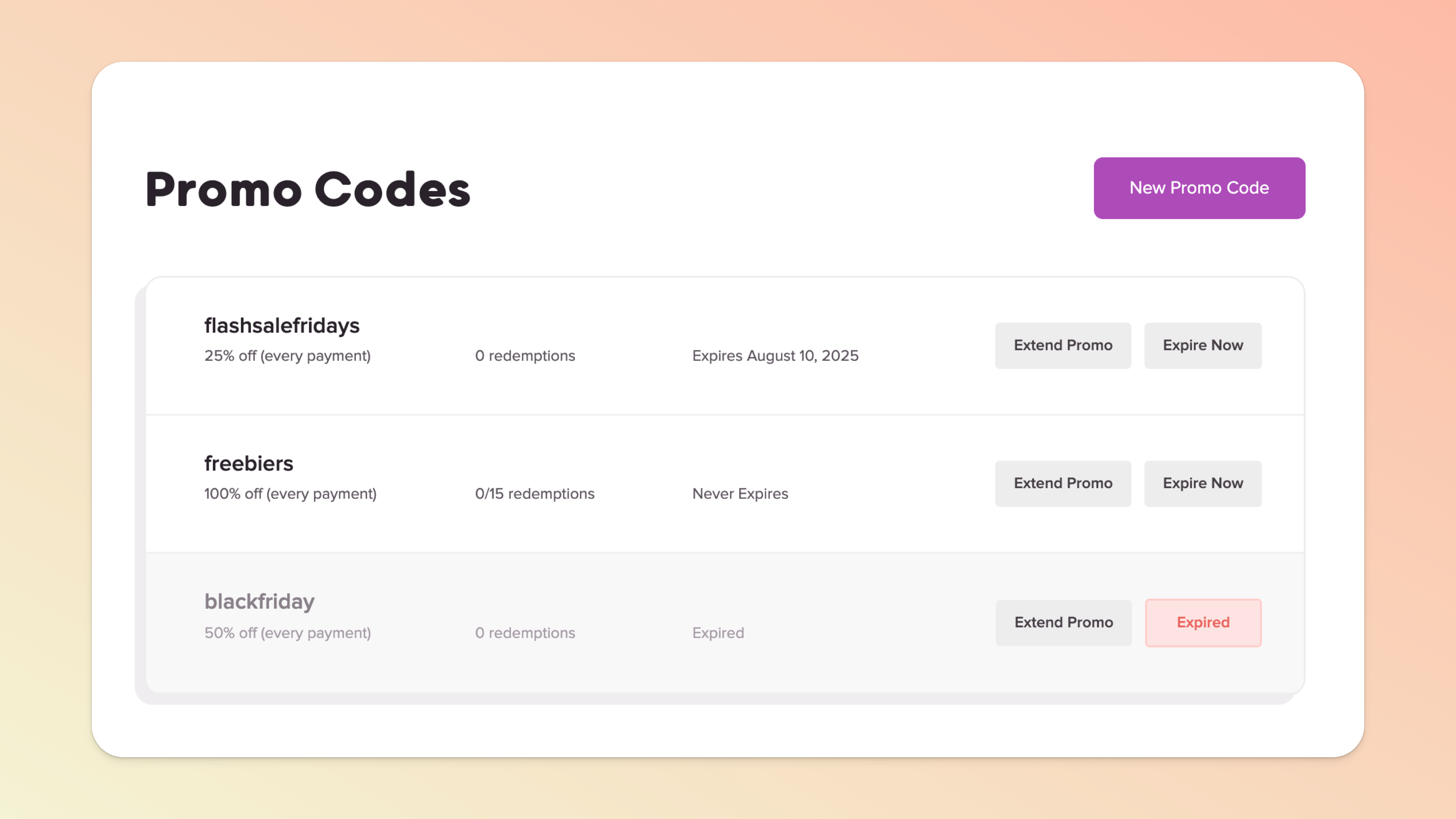
Our default option for promo codes is to apply the promo code to EVERY payment.
If your course has a fixed payment page (ex: $20 to purchase the course), the "every payment" code will simply apply to the one $20 payment.
If you sell a course with a recurring payment option (ex: $99 per month for 12 months to purchase the course), the "every payment" code will apply to ALL 12 of the $99 monthly payments of the recurring subscription. If you don't want a promo code to apply to every payment...
For all you folks selling courses with payment plans, or if you're using Teachery to run a subscription-based membership, you have the ability to offer a promo code that discounts ONLY the first payment in a recurring subscription.
Let's say you offer a course with a 3-month payment plan and want to give a new customer $50 OFF the first month:
You'd create a promo code set to $50 OFF
You'd say YES to first payment only
Send your customer the promo code and payment page
When your customer checks out, the code will apply the discount to the first payment only and charge them the full monthly price the next month! ✅
Let's say you offer a monthly membership and you want to offer your new customers the first month FREE:
You'd create a promo code set to 100% OFF
You'd say YES to first payment only
Send your customer the promo code and payment page
When your customer checks out, the code will apply the discount to the first payment only and charge them the full monthly price the next month! 🎉
We hope that helps you use promo codes when selling your courses! 👋
