Inside every course in Teachery is a page called "🔗 Course Links." This page can be found while editing a course in the top left of the sidebar.
Within the Course Links page, you'll find all kinds of helpful URLs specific to the course you are currently editing!
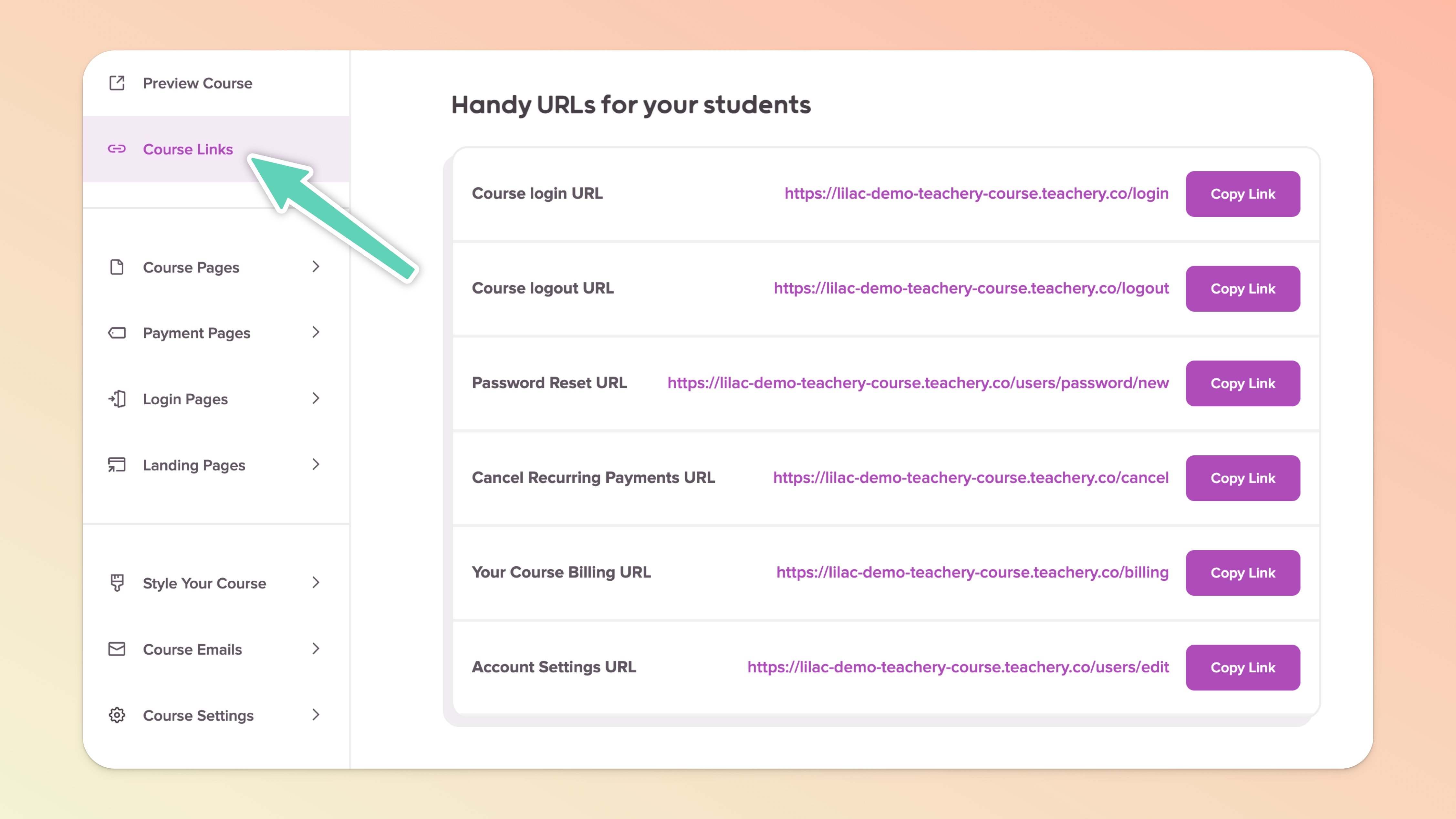
This URL is perfect to give to any course customers who misplace the course Welcome Email and need to get back into your course.
You can also Resend a Welcome Email as a separate action.
If a customer is asking you how to logout of your course, you can give them this URL. You could also include it on the Overview page of your course (via hyperlinked text) if you want to give your customers the option to logout.
When a customer forgets their password, you can give them this URL.

If you have Recurring Payments, this is the URL to give a customer who wants to self-cancel their payments. If a customer uses this URL it WILL automatically revoke their course access as well.
Alternatively, you can cancel a customer's payment subscription on their Customer Profile page. This method will not revoke their access.
If a customer needs to update their credit card information on file for your course, this is the URL to give them to do that!
If a customer wants to update their email address or name, this URL will help them.
