If you are processing the personal data of European Union residents, then the EU GDPR may apply to you. While Teachery is unable to provide legal advice, we encourage course creators to take the necessary steps to determine whether or not you need GDPR compliance. You may want to:
Consult a legal professional regarding the GDPR requirements and how they affect your course's Terms of Use and Privacy Policy
Familiarize yourself with the requirements of the GDPR (this is a great article)
Review your sub-processors* (if you take payment outside of Teachery or if you send customer data from Teachery into any email provider or other service) to determine if they are compliant with the new regulation
*If you are sending customer data from Teachery into your email provider (or other service) you WILL need to get user content in those services on your own. Example: In an opt-in confirmation email, you need to provide a consent statement (like the one below) that links to your terms and privacy policy.
➡ This is a great article if you're a course creator and not sure what you need to do for GDPR compliance.
We recommend adding a consent statement to your Teachery Payment Pages with links to your Terms of Use and Privacy Policy.
This is a very simple way to comply to GDPR. Add a line of consent text that links to your Terms and Privacy page (you host both of those pages on your own website).
If you’re using our original payment page template, we recommend using the "Features" section as a place to put your consent statement. You may also add it in the text section below the title of the page. Or…
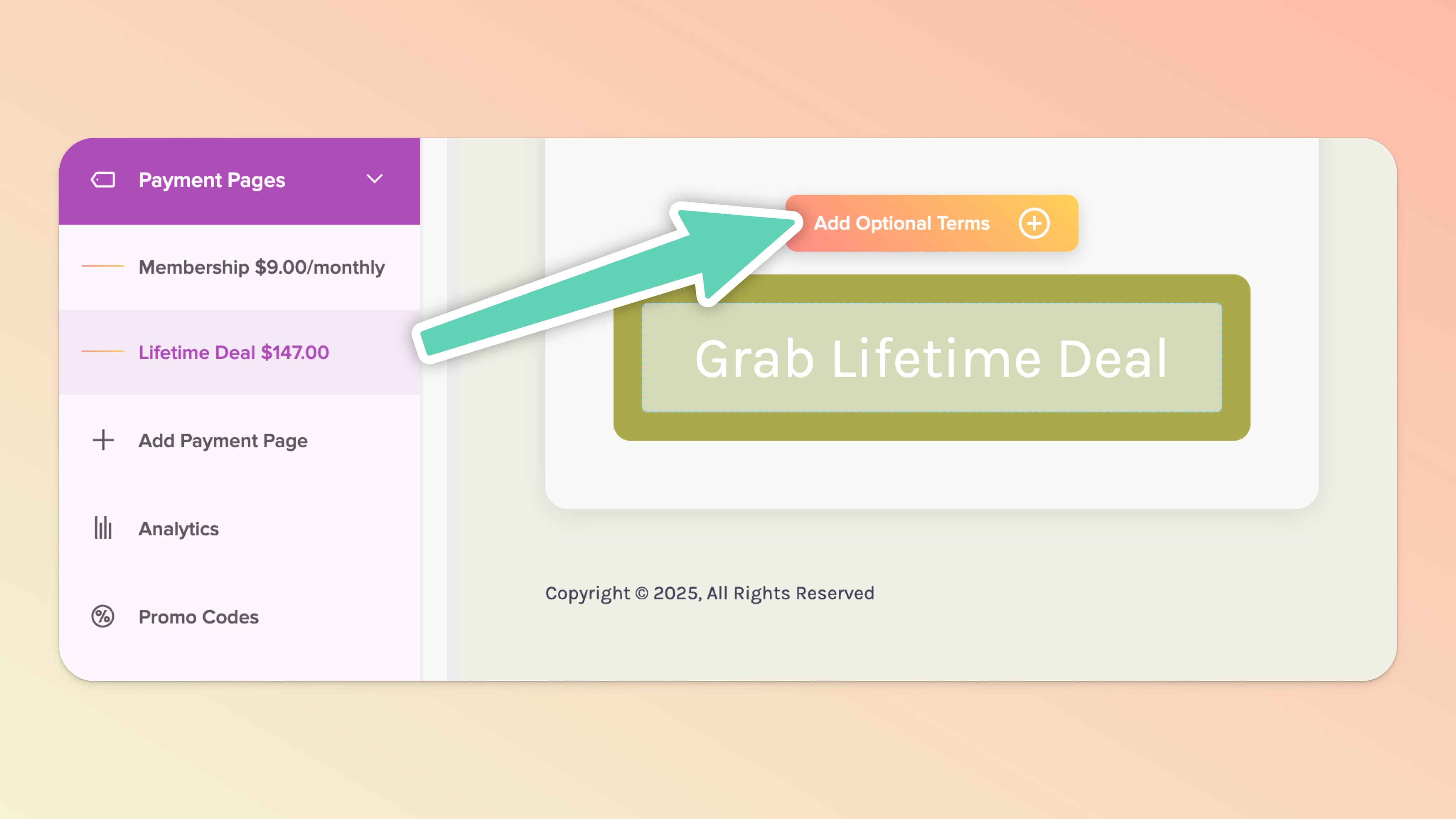
Assuming you’re using our original payment page template, every payment page has the option to click the “Add Optional Terms” box. This gives you a checkbox and a line of text you can link to your T&Cs and Privacy Policy (these can be hosted, for example, in a Google Drive file, or pages built with our Page Builder, or hosted on your own website). The checkbox IS mandatory once it’s toggled on.

We have taken steps to be fully compliant with the EU GDPR. We take your privacy and the privacy of your customers seriously.
The steps we've taken, in case you're interested:
We've retained outside counsel to ensure that we comply with every requirement of the GDPR
We've prepared and published revisions to our Terms of Use and Privacy Policy which include disclosures required by GDPR.
We've reviewed our sub-processors to make sure they are compliant with data protection policies and procedures that comply with GDPR.
We have a process whereby you can request access to or deletion of your personal data.
Please read our Terms of Use and Privacy Policy if you'd like to learn more about our disclosures and handling of data.