Changing your course font in Teachery is easy as pie (mmm, pie 🍰)! The default font we use for new courses created in Teachery is Proxima Nova.
We have two ways you can customize your fonts within your course...
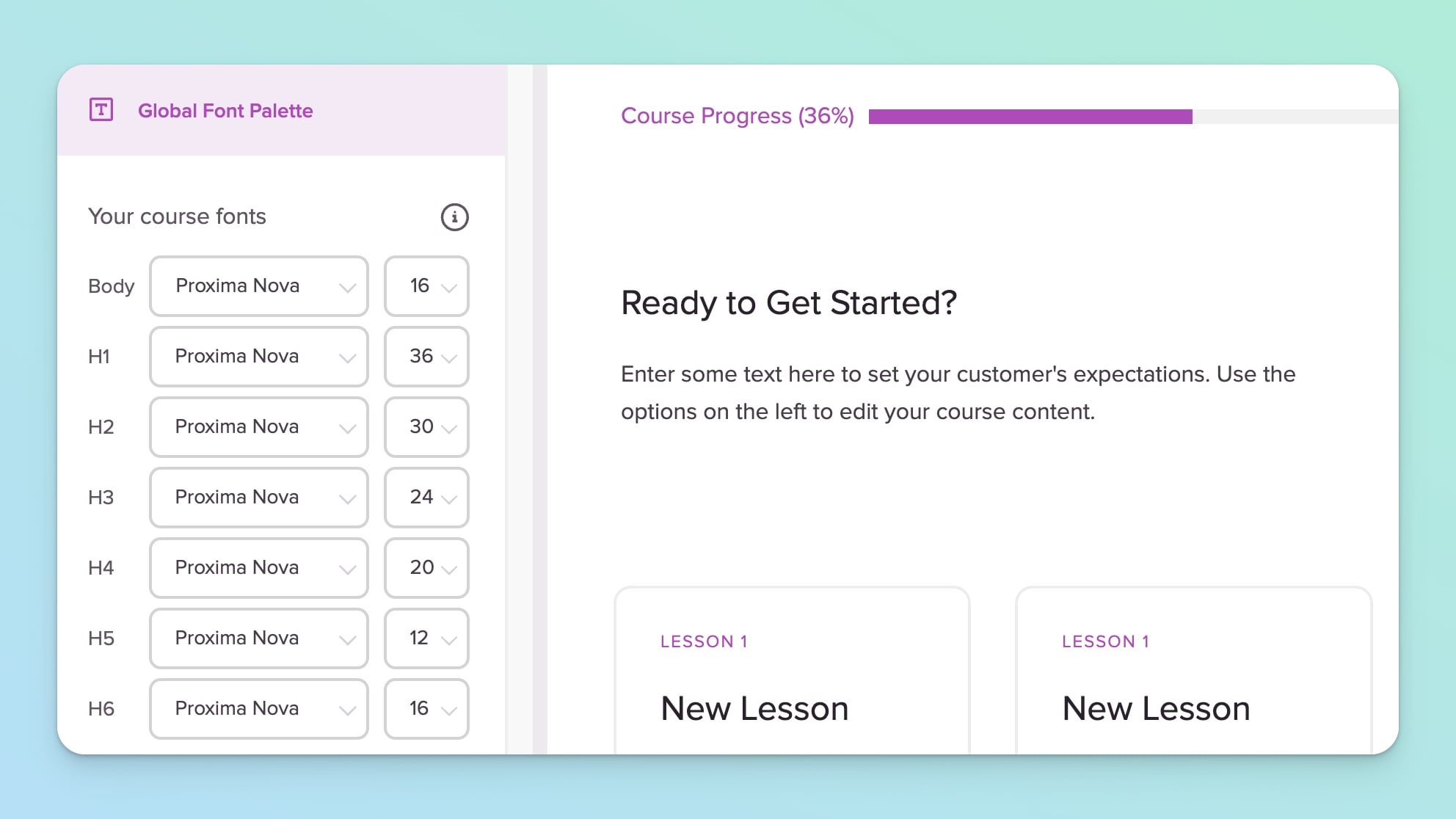
Your Global Font Palette is the singular place to set the font styles and sizes for your Body, Heading 1, H2, H3, H4, etc in your course. Here's where to set those fonts:
Click into the course you want to edit
In the left sidebar, click Style Your Course
Then, click Global Font Palette
Select your desired fonts, sizes and hit save! ✅


Once you've set your Global Font Palette, you may want to style individual text headings or paragraphs of text.
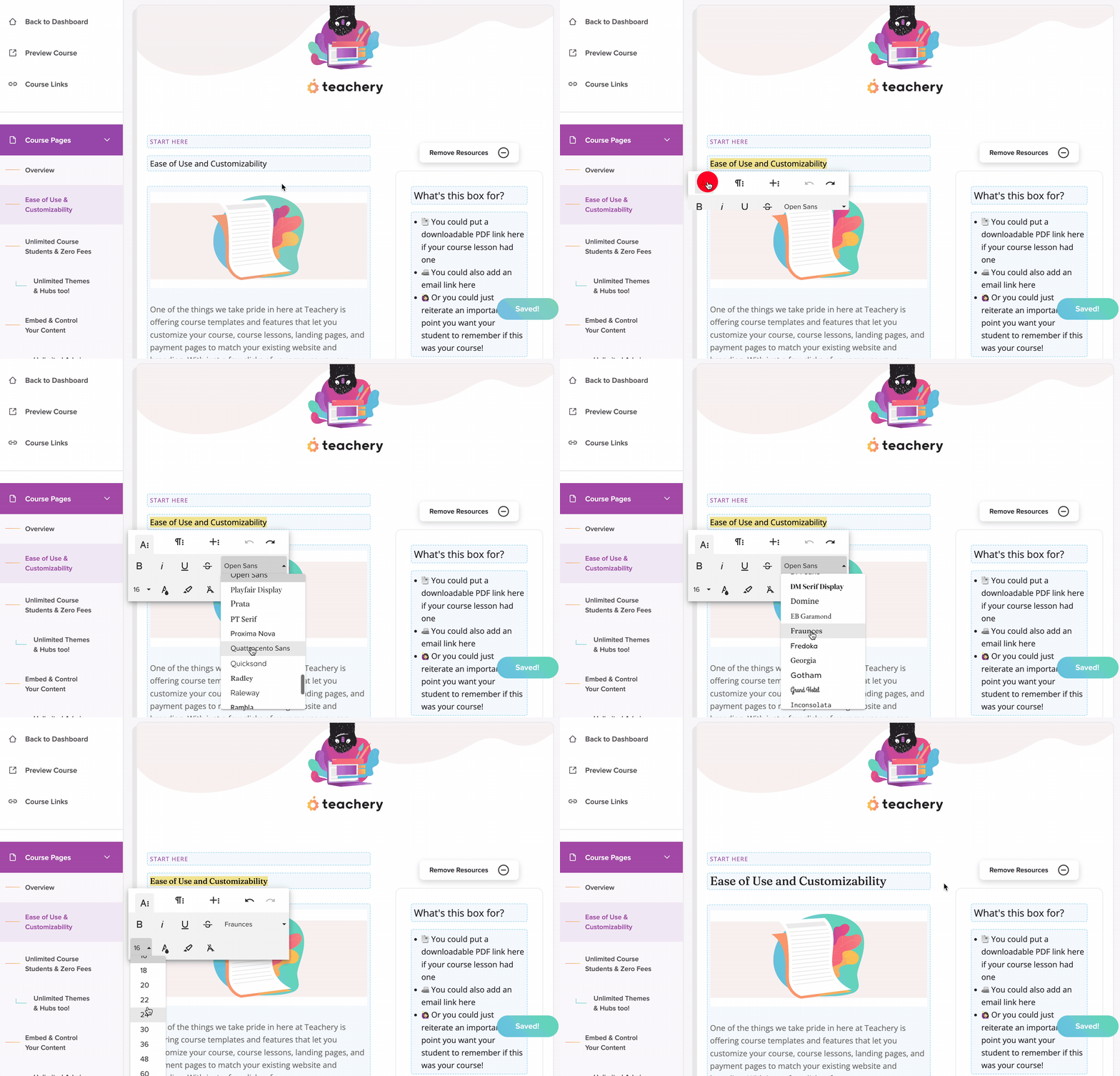
You can easily accomplish this by editing the specific course page, highlighting the text you want to update, and then setting an inline font style for just that text.
Here's a GIF example of clicking into an editable text area, highlighting the text you want to change the font of, and selecting different fonts (NOTE: This selection does override the Global Font Palette setting):
You can easily add ANY Google Font to your course with no code needed! Please read our separate help doc that walks you through adding a different Google Font.
You can add non-Google Fonts to your course as well. Here's our help doc on adding custom fonts, you will need to know how to add a snippet of code and some basic CSS.
🧙♀ If you're a CSS wizard, we have a few handy Custom CSS tricks related to fonts and font sizing.

You can customize the fonts in your Welcome, Course Completed, and Failed Payment Emails within Teachery (just click to edit those emails, highlight the email text and change the font).
BUT.... Just know that choosing a custom font for your emails is different from your course pages. Emails do not render fonts as web pages do, you will want to stick to these TWO standard system fonts that most people have already installed on their computers:
Arial
Georgia
Again, this is ONLY a consideration for your course emails. And if you do pick a different from Arial or Georgia, just know someone's email inbox will render a default system font (no biggie).
