We believe everyone's online course should match their brand and be as visually customizable as possible! That's why we've created 7 pre-designed Themes (and more in the Template Marketplace) that you can choose from to start building your next course.
All of our Themes are 100% free and come fully customized right out of the box to show you what's possible with Teachery's course builder! 🤩👏
👋 The images and graphic elements are yours to customize, but at this time we do NOT have any image/graphic templates for you to use.
We recommend you use our Themes as inspiration to make your courses your own because customizing your courses to your individual brand is the whole reason you probably chose Teachery in the first place 💗.
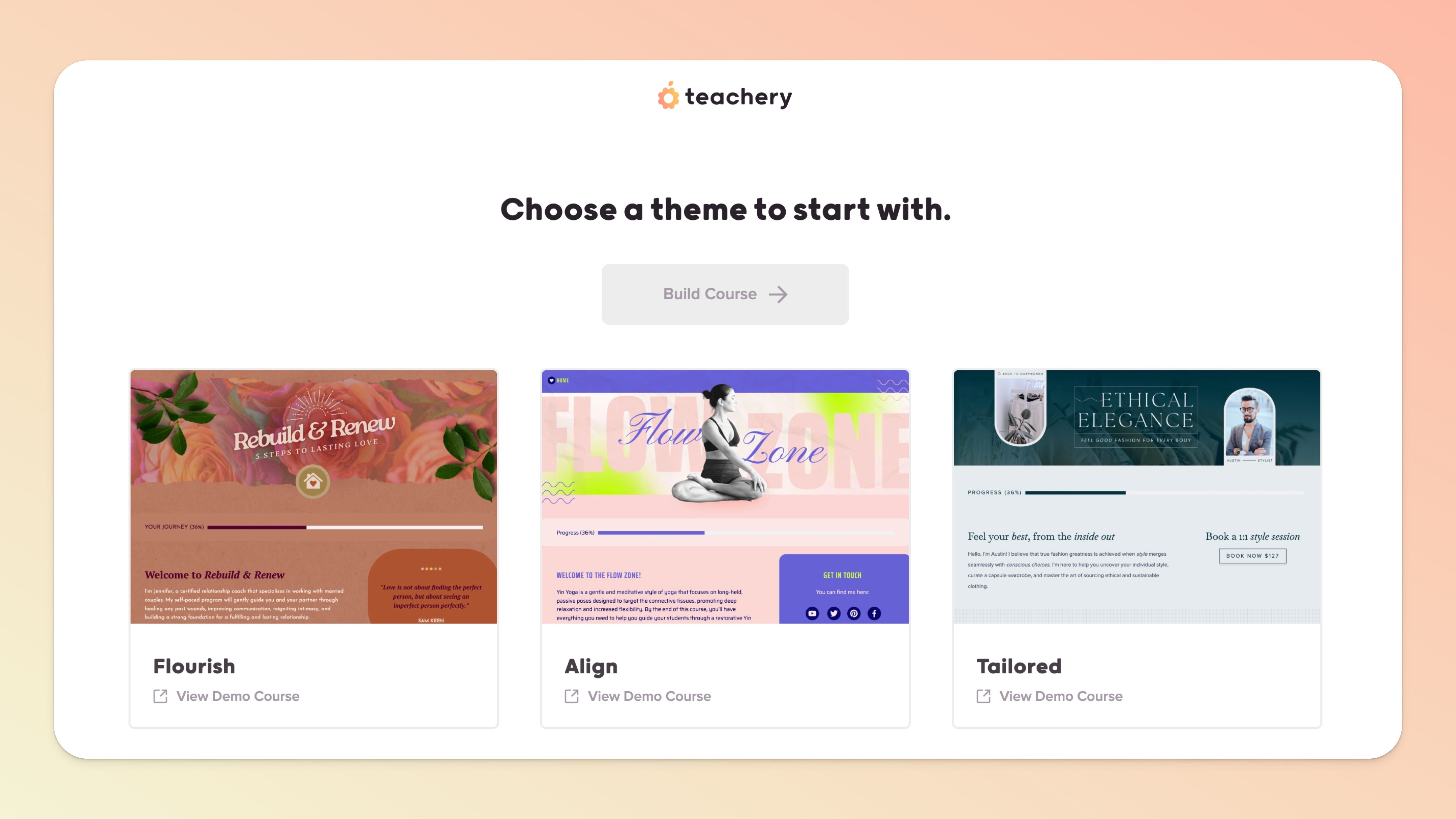
As you look through one of our pre-designed Themes, you'll see how we added visual elements to break up the text areas, attract a customer to click or take action, and give an overall feeling that this course is unique.
If you take a look at one of the pre-designed Theme header images from our "Flourish" Theme, you'll notice something added to the header image design:
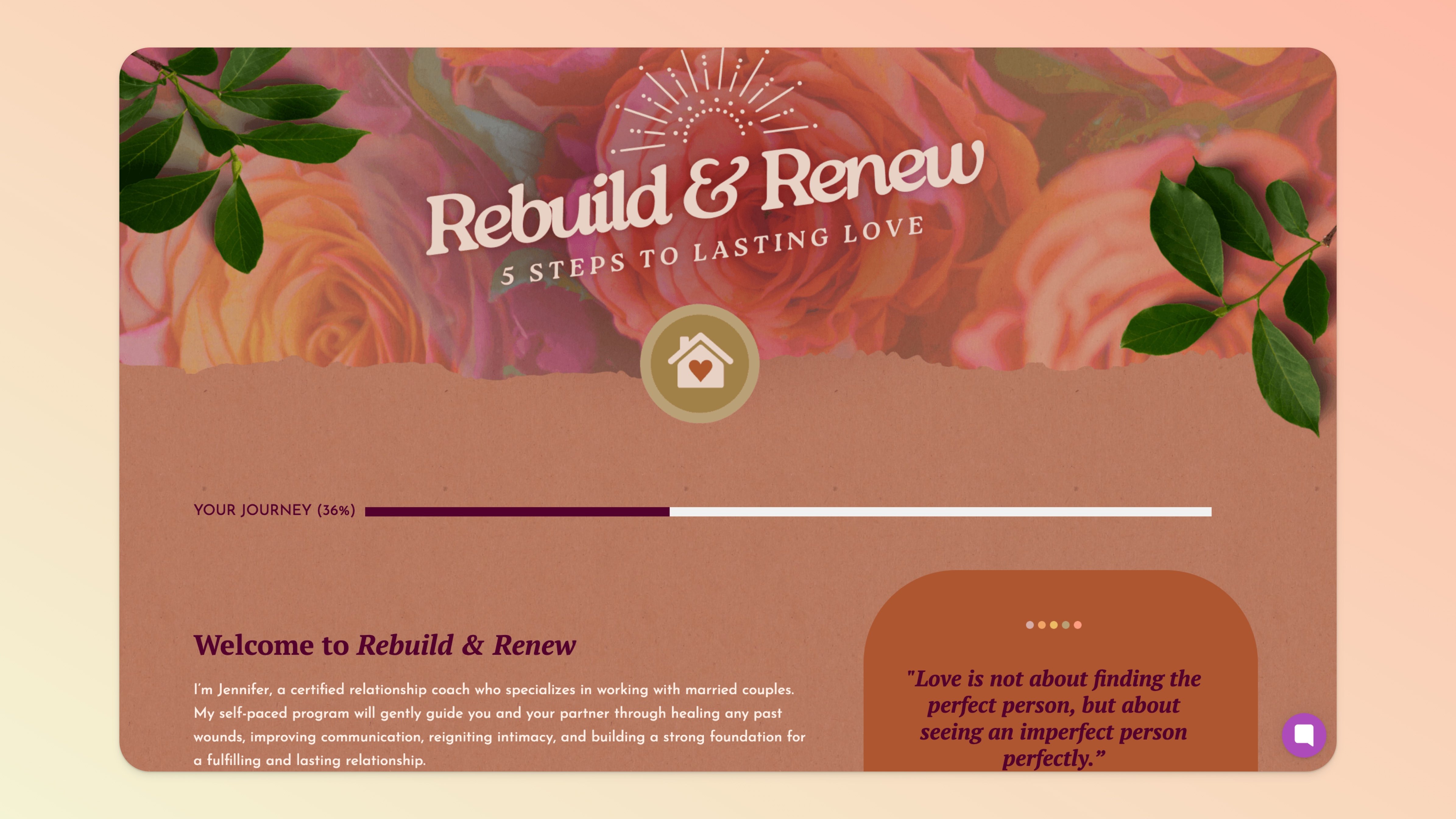
Did you catch it? It's the home icon 🏠 in the middle of the image. This is NOT a real button, but because the overall header image is clickable back to the Overview page of a course, it's a great way to show your course customers they can click that image and always get back to the course dashboard (aka Overview page).
In our "Tasty" Theme, you can see a similar 🏠 design element was added, but this time it includes the word "HOME" to clearly show clicking this takes you back... Home!
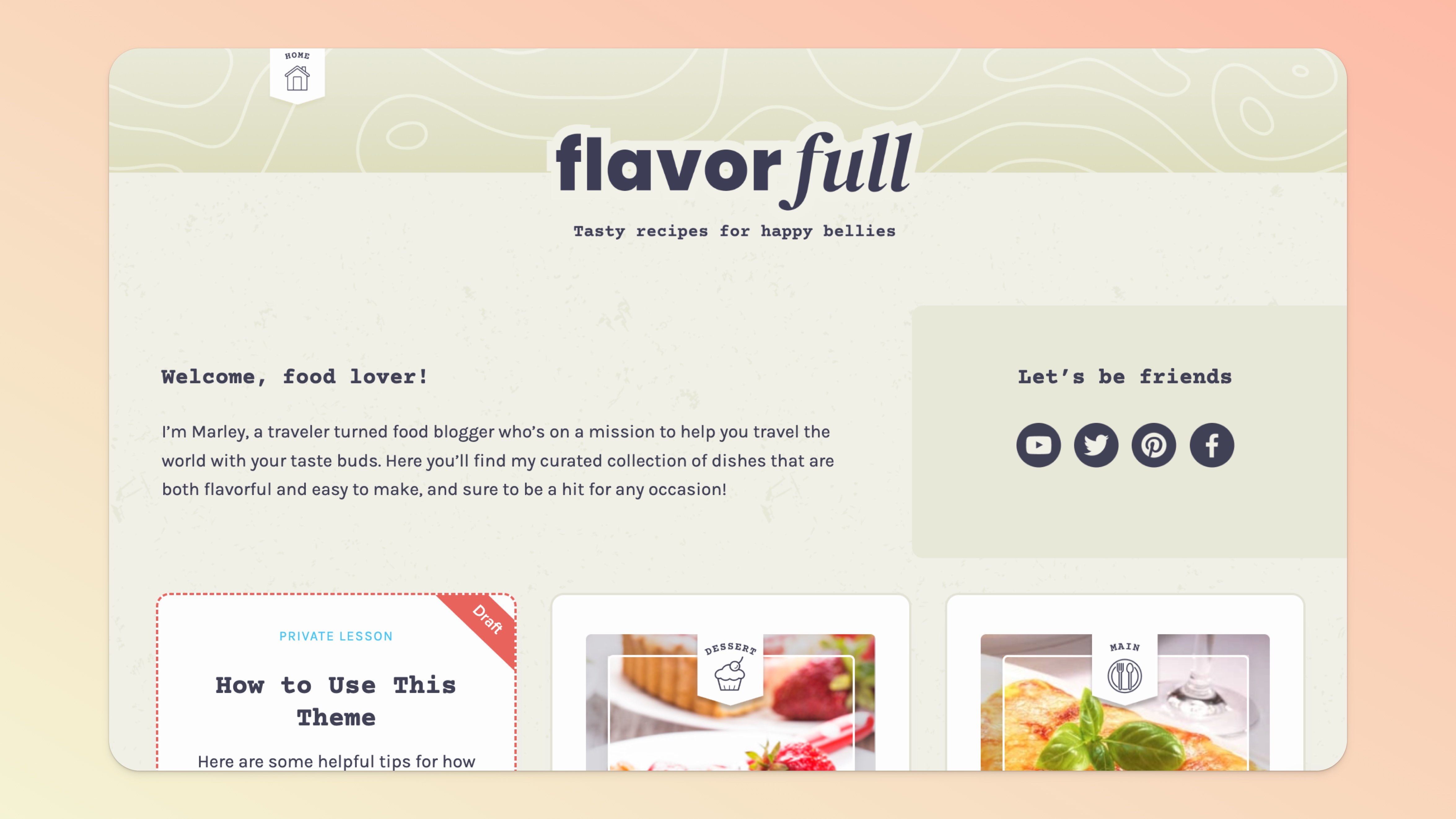
We encourage you to have fun customizing your course header image to evoke your awesome business' branding, while also visually helping your customer to take a common action!
When you start using our pre-designed Themes, there's a DRAFT lesson waiting for you with step-by-step tips on how to customize the Theme to your liking.
💡 Tiny-Teachery-Tip: Because we made this "How To" lesson as a draft lesson, you don't ever have to delete it if you don't want to! Your customers will never know it exists and you can always reference it again if you need helpful pointers.
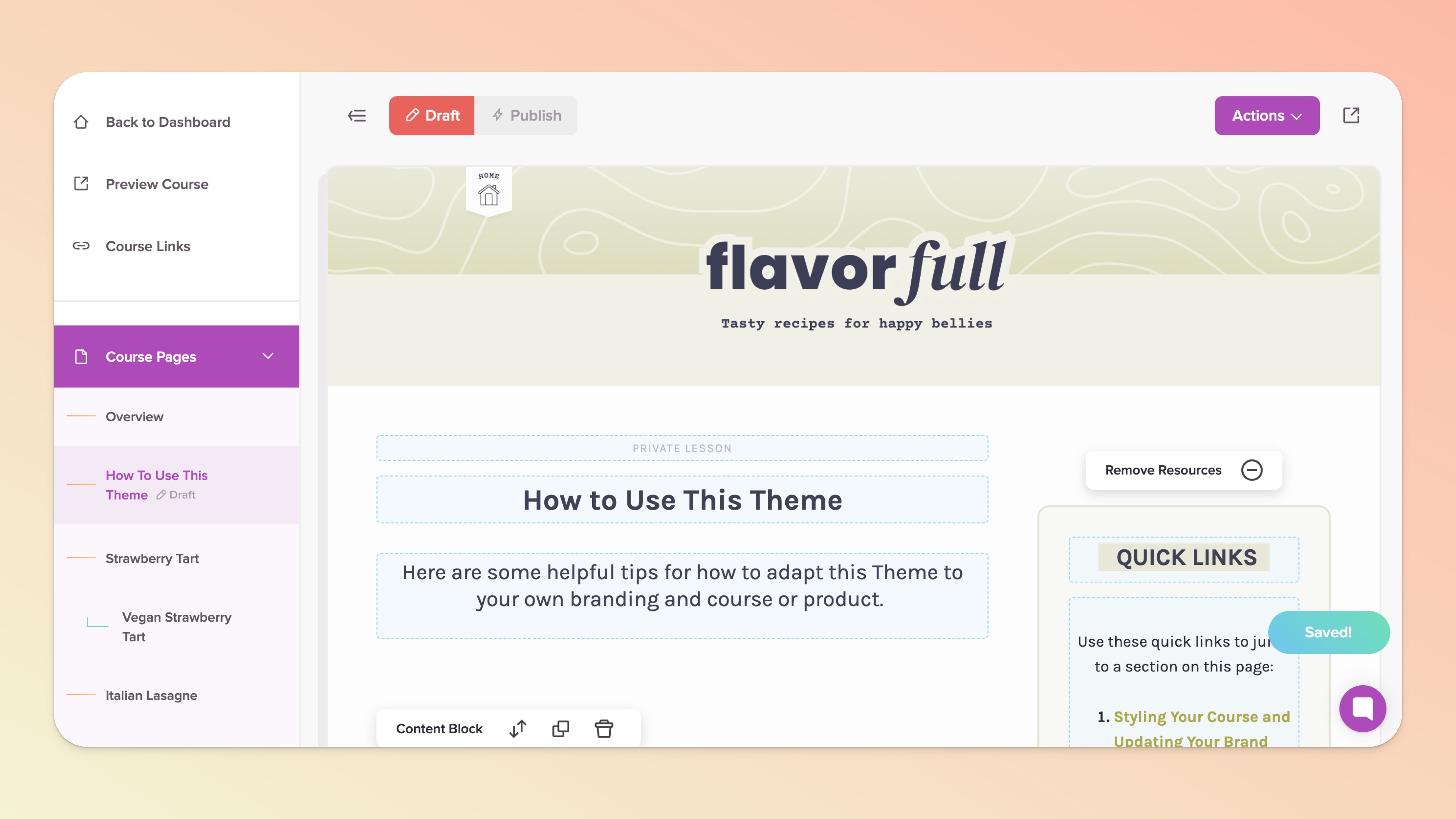
This "How To" draft lesson will walk you through:
Styling Your Course (changing all the colors)
Editing Your Overview Page
Editing Your Lesson Pages
Editing Your Payment Page(s)
Editing Your Landing Page(s)*
Editing/Using Custom CSS
*Yep! We've gone through the trouble to fully design and create a Landing Page for all of these Themes too! Our Landing Page builder is not nearly as robust as most page builders on the market, but if you just need a simple sales page template that removes overwhelm and is proven to work, we've got you covered 💪 .
👋 If you haven't yet, make sure to check out our Getting Started Guide!
We know how exciting it is to jump into a new software like Teachery and start building and playing around. If you find yourself wanting to learn a bit more about how Teachery works and how to use it, jump into our Getting Started Guide.
Hope you have fun customizing these Themes 😍 . Don't hesitate to send us a link to your course through our support chat 💬 once you've finished it, we love seeing what you're working on!
